Seasalt product page journey
Redesigning the Seasalt product page so details, reviews and delivery information are easier to find, with styling and recommendations that keep people browsing, on mobile and desktop.
- Strategy
- Journeys
Focus
The existing product page ran on a generic template with little content hierarchy. Product details, reviews and delivery information sat in one long scroll, so customers had to work to find the things that help them decide.
Constraints
- Responsive web: every change had to work on mobile and desktop
- Existing commerce features had to stay, including the size finder, colour swatches, fit options and wish list
- The page had to keep the Seasalt Cornwall look and tone
Context
The product page is where a Seasalt customer decides. They have found a top or a dress they like, and now they want to know how it fits, what other people thought, when it will arrive and what to wear it with. The existing page could answer most of those questions, but it made people dig for the answers.
This project looked at the whole product page journey, from landing on the page to adding to bag or moving on to the next item, and redesigned the presentation layer across desktop and mobile.
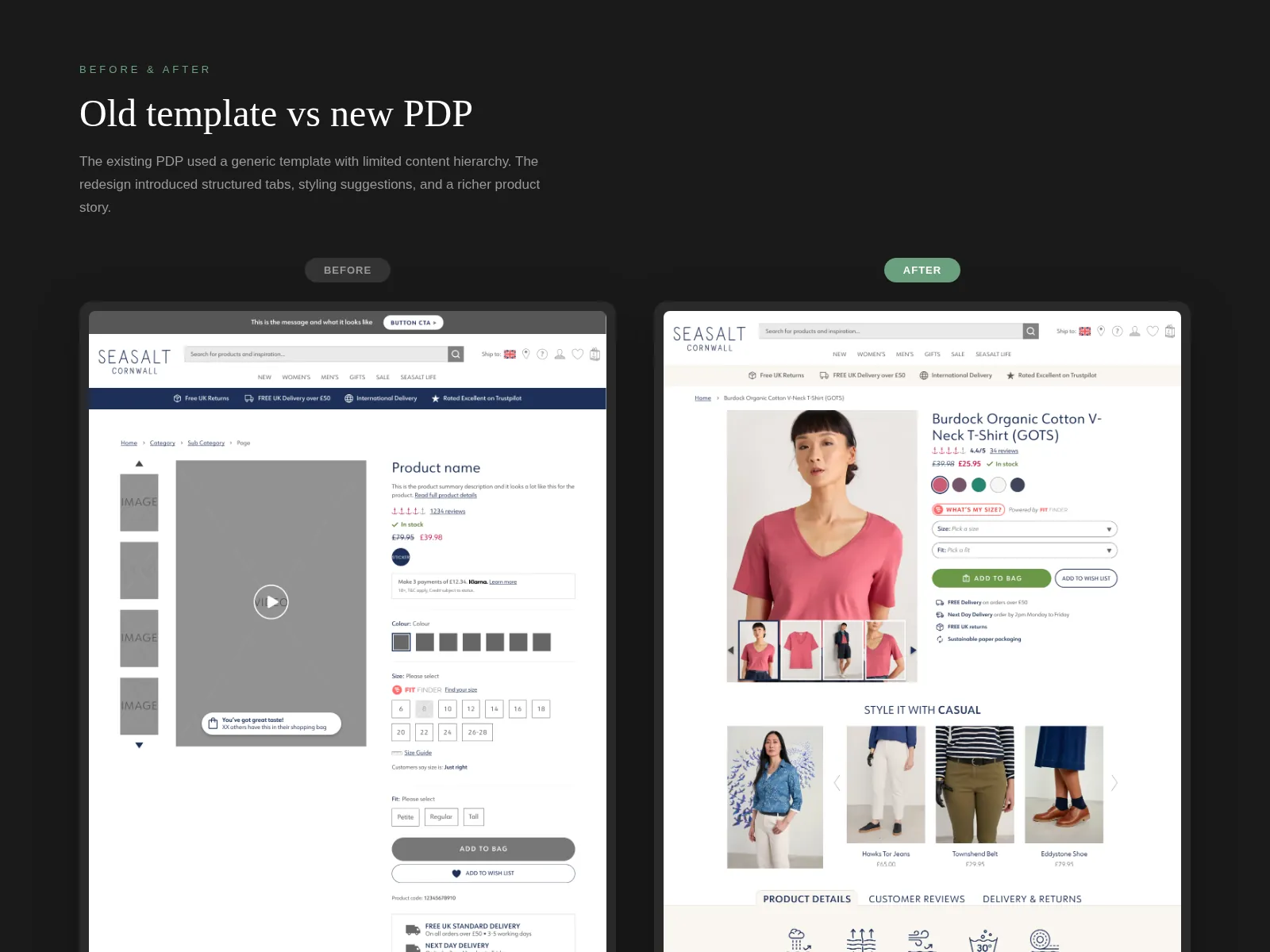
The old template
The existing page used a generic template. Product information, reviews, and delivery and returns details were stacked in one long scroll with little hierarchy, so everything had roughly the same weight. Reviews in particular were easy to miss, even though they are often what tips someone from browsing to buying clothes online.
The redesign kept everything customers already relied on (the size finder, colour swatches, fit options and wish list) and changed how the content around them was organised.
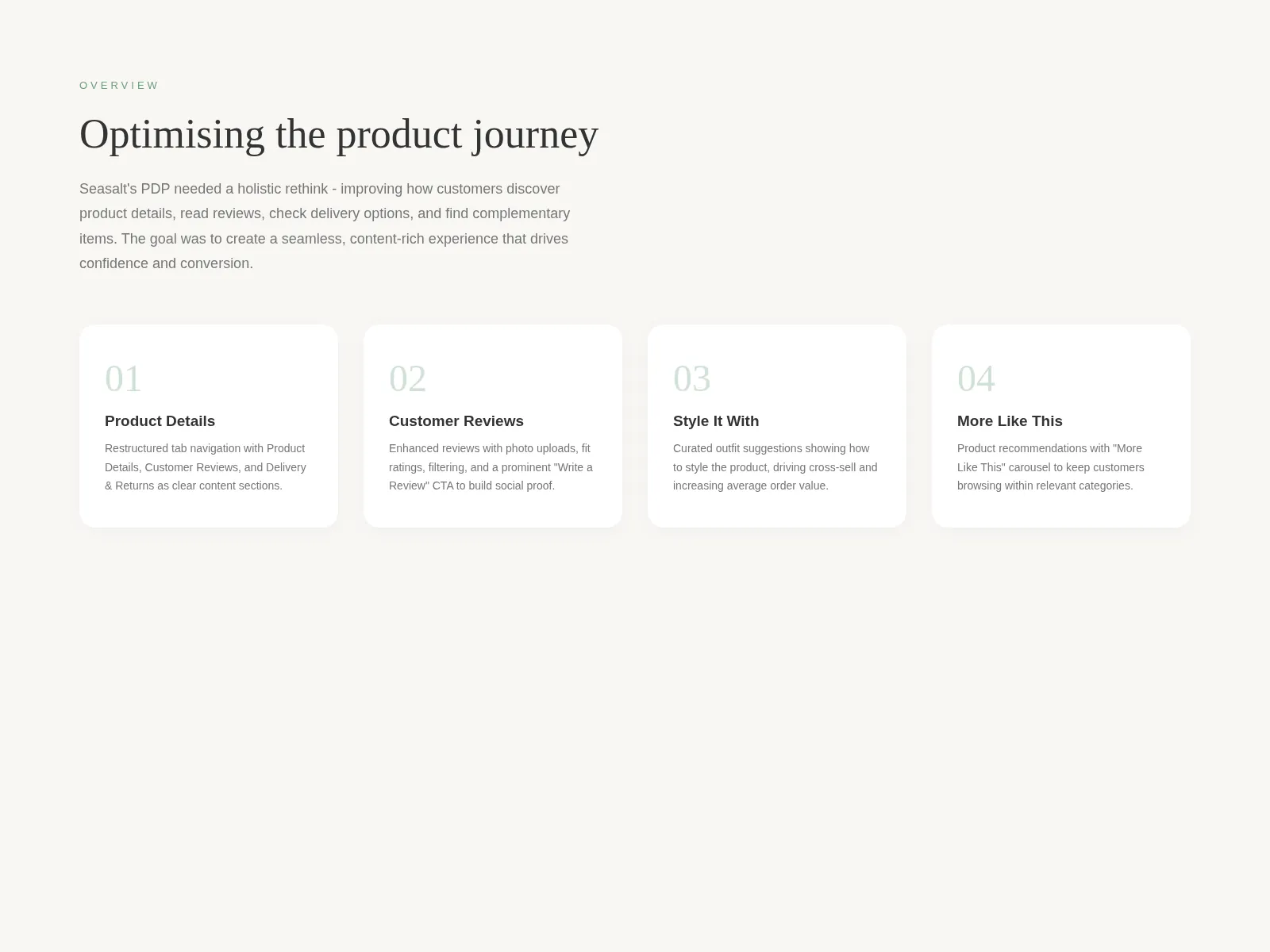
Four areas to work on
I broke the page into four areas, each answering a different question a customer has:
- Product Details: what is it made of, how does it fit, how do I care for it?
- Customer Reviews: what did people like me think?
- Style It With: what would I wear it with?
- More Like This: if this isn’t quite right, what else is there?
Working through them one at a time kept the decisions focused, and made it easier to see where each one should sit on the page.
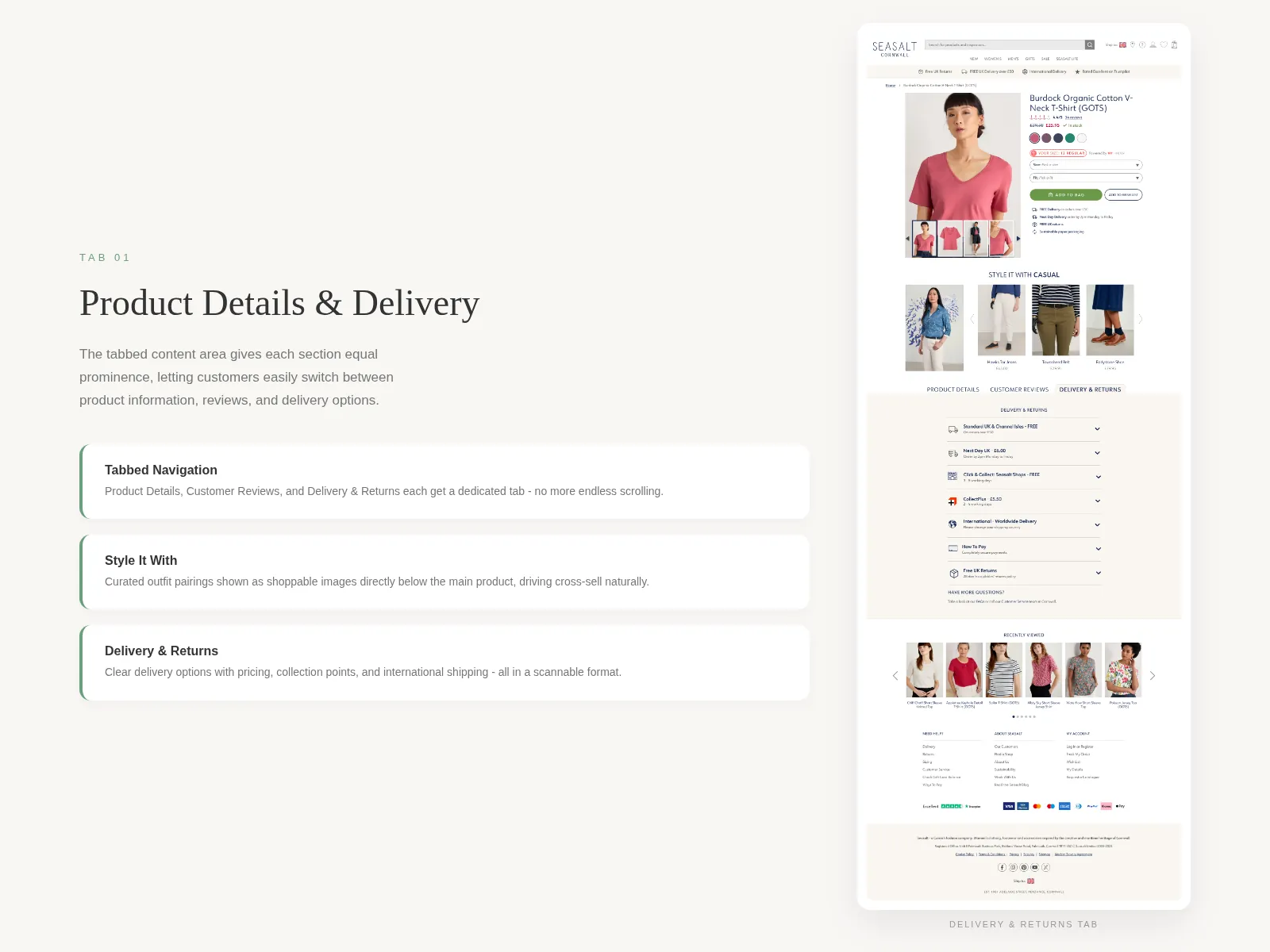
Tabs instead of one long scroll
Product Details, Customer Reviews and Delivery & Returns each became a tab. That gives each section equal prominence, shortens the page, and lets customers jump straight to what they care about instead of scrolling past everything else to reach it.
Delivery & Returns was rebuilt as a scannable list of options, each with its price and timing, covering standard and next day delivery, collection points and international shipping.
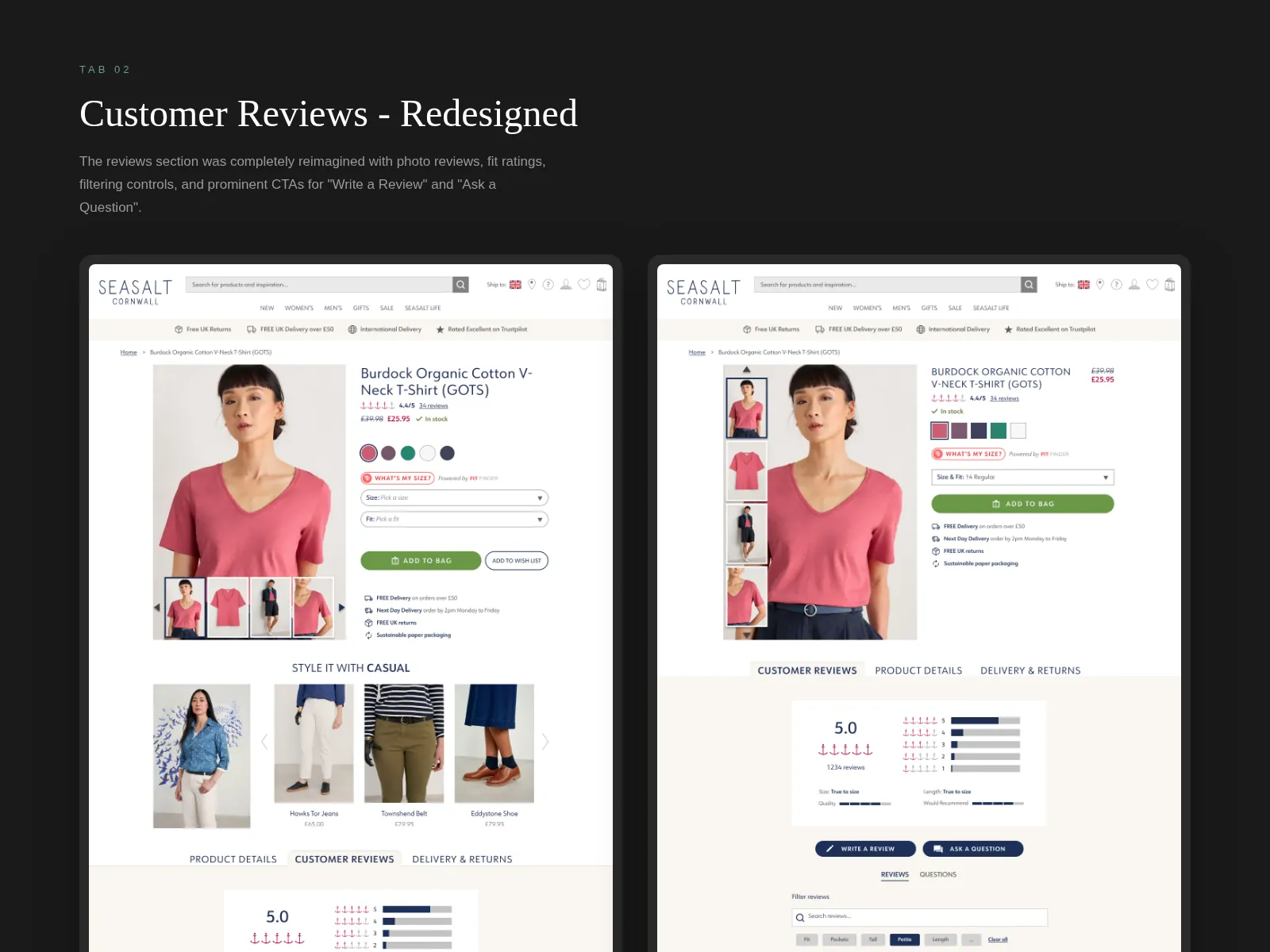
Reviews that help people decide
The reviews section was rethought around the questions people have when buying clothes online. Alongside the star rating, it shows fit and quality ratings, supports photo reviews, and adds filters so customers can find reviews that are relevant to them.
“Write a Review” and “Ask a Question” were made prominent buttons rather than text links, to encourage more customers to contribute.
Testing the hierarchy
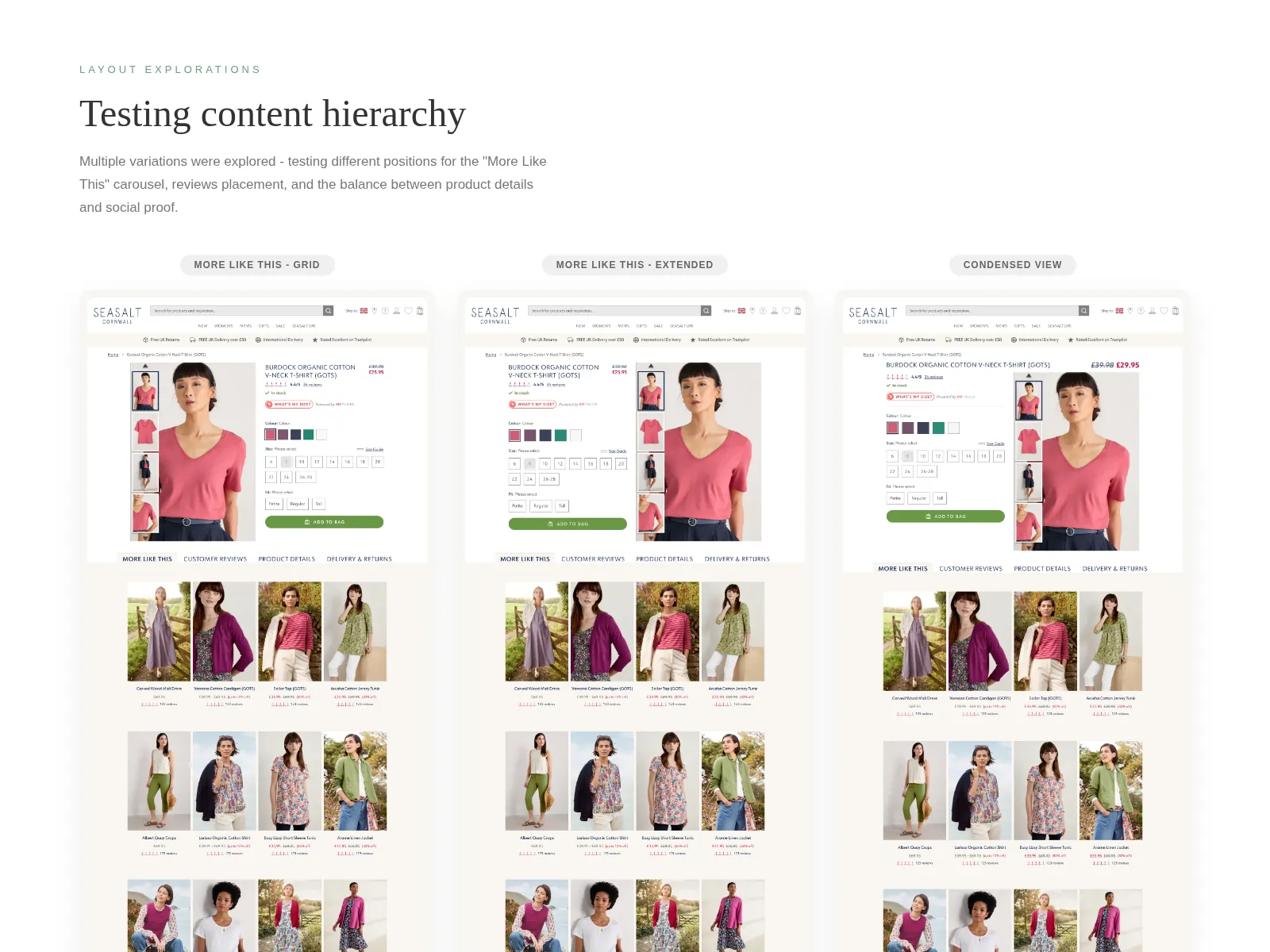
The order of the sections mattered as much as their design. I explored several layout variations to test the position of the More Like This recommendations, where reviews sit, and the balance between product details and social proof: More Like This as a grid, an extended version, and a condensed view.
Laying them out side by side made the trade-offs visible: how far down reviews sit, how much product detail appears before the first recommendation, and how long the page gets on mobile.
Where it landed
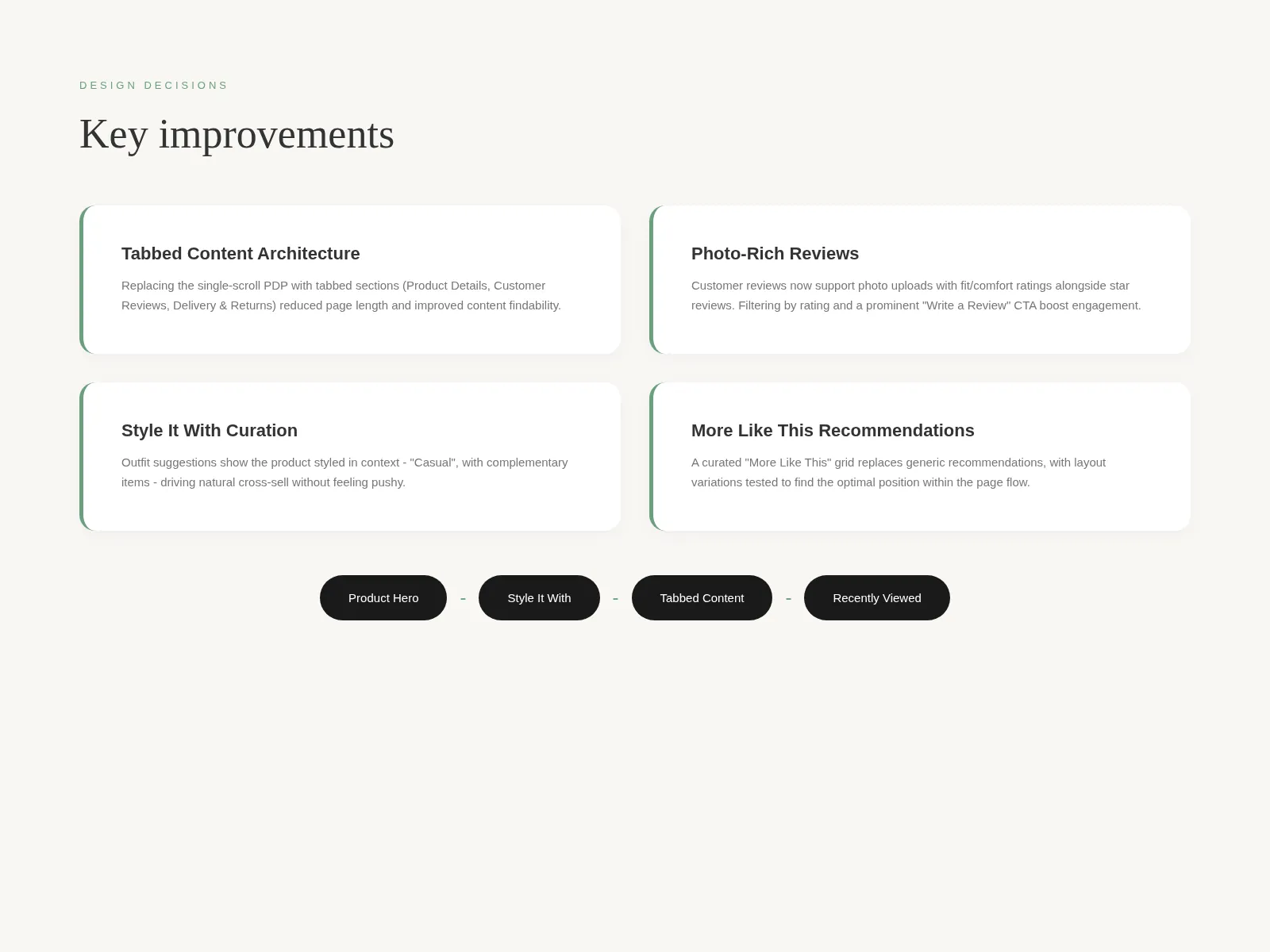
The finished design brings the four areas together into one flow: product hero, Style It With, the tabbed content, and then recommendations and recently viewed items.
Style It With shows the product styled in context with complementary pieces, so cross-sell feels like helpful styling advice rather than a hard sell. More Like This replaces generic recommendations with a curated grid that keeps people browsing within relevant categories when the first product isn’t quite right.
What I’d do differently
I’d bring in mobile usage data earlier. Tabs work well on desktop, but on a small screen the tab labels and the content they reveal need careful handling so customers don’t miss a section. I’d also want to run the layout variations as a live A/B test and let customer behaviour pick the winning hierarchy.
Impact
A redesigned product page with tabbed content (Product Details, Customer Reviews, Delivery & Returns), photo-rich reviews with fit ratings and filters, a Style It With outfit section, a More Like This grid, and three layout variations for testing the content hierarchy.